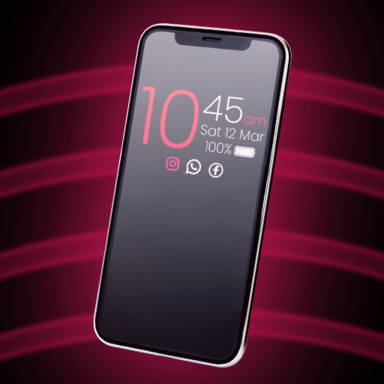
Always on Edge: Super Amoled
Check time, date, battery, and notifications on your dark screen without unlocking your phone. Customize your display with beautiful edge lighting, personal photos, and stylish clock designs.
Why You'll Love This App
No Unlocking Required
Stop wasting time unlocking your phone dozens of times a day. Glance at your screen to instantly see the time, date, and battery level while your display stays dark and saves power on your AMOLED screen.
Make It Your Own
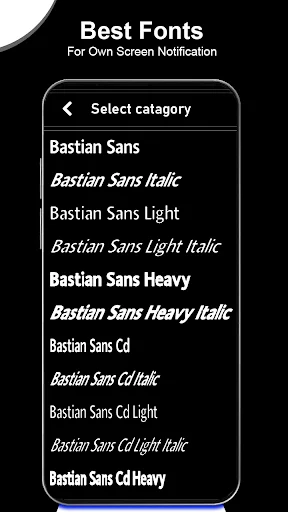
Choose from multiple clock styles, add your favorite photos as backgrounds, and customize fonts to match your taste. Create a display that feels personal and looks exactly how you want it.
Stunning Edge Lighting
Add eye-catching edge lighting effects to your always-on display. Turn your phone into a modern, stylish device that stands out with colorful borders and elegant visual touches.
All Info in One Place
Stop opening multiple apps to check basic information. View your clock, date, battery status, and incoming notifications together on one convenient screen whenever you need them.
Always On Edge: AMOLED Display - Time at a Glance!
Keep useful information in view on a dark screen. Choose a clock style, add a background and see the time, date or battery level without opening several apps. Turn on the display service when you want this view available.
Make Always On Display Clock part of your phone's everyday look. Personalize the interface with fonts, clock styles and wallpapers, then enable notifications in the app if you want to see incoming alerts alongside the time.
App Features:
- Always On Edge: AMOLED Display - Show useful information on a dark screen
- Edge Lighting Digital Clock AOD - Bring edge lighting to your chosen clock view
- Always On Clock Display - Keep the date and time together in one place
- On Display Always On AMOLED - View notifications after enabling them in the app
- Standby Clock Screen Saver - Choose a night clock view for a glance at the time
- Lock Screen Clock: OLED Display App - Personalize the interface with styles and fonts
- Always On Display Super AMOLED Screen - Add a wallpaper or a photo beside your clock
- Battery information - Check the displayed battery level with other basic details
A Clock View That Fits Your Phone!
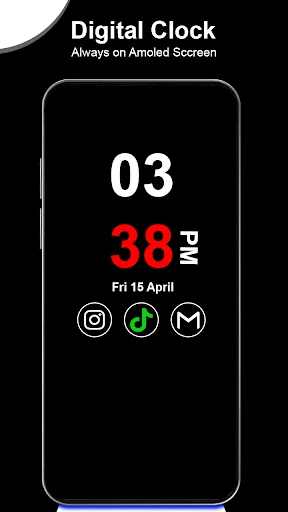
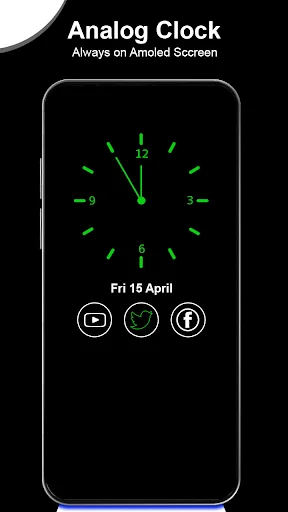
Use Always On Display Clock with a digital or analog style, depending on what you find easier to read. A simple background keeps the time easy to find, while a personal photo can give the view a more familiar feel.
With Edge Lighting Digital Clock AOD, the edge effect becomes part of the display you choose. Adjust the available options to suit your preference rather than keeping a look that does not work for you.
How To Use:
- Open Always On Edge: AMOLED Display and explore the available display options
- Choose a style in Always On Clock Display and review its appearance
- Select a wallpaper or photo and customize the available font settings
- Enable the display service and notifications for On Display Always On AMOLED
- Try Standby Clock Screen Saver when you want a night clock view
- Review Lock Screen Clock: OLED Display App on your device and adjust the settings
Keep daily details together: Use Always On Clock Display to put the time and date within easy reach. You can also write a reminder to keep visible, so a short note sits where you can see it when checking the screen.
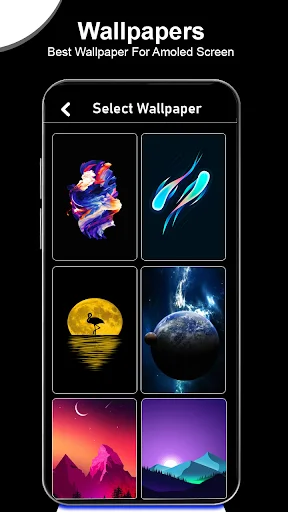
Choose your background: Explore Always On Display Super AMOLED Screen with the included wallpaper choices. Pick a dark background for a quieter look or use a photo with the clock. Preview the combination so important details stay readable.
Decide which information to show: On Display Always On AMOLED can bring notifications and basic phone information into the same view. Notification access must be enabled in the app. Review requested permissions and your device settings before relying on the display for alerts.
Find a comfortable night view: A Standby Clock Screen Saver can offer a convenient way to check the time nearby. Choose settings that suit your room and screen. An active display uses power, and behavior can vary with your device, screen technology and Android settings.
Make Your Everyday Display Personal!
Use Lock Screen Clock: OLED Display App to settle on a style you enjoy seeing. Keep Edge Lighting Digital Clock AOD as simple or decorative as the available settings allow. With Always On Display Super AMOLED Screen, a familiar clock view is only a glance away when the service is active. Revisit Always On Display Clock settings whenever your preferences change.
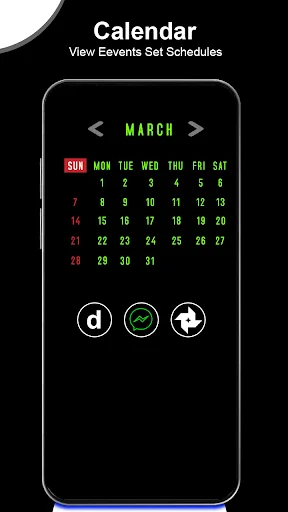
See Your Options Come to Life
Join Thousands of Happy Users
Emoled Display is a very attractive application. I really needed this application. It makes our mobile display look even more beautiful and makes the watch look great...
Amoled display: Always On display digital clock ⌚ app is best black watch faces. You can use Amoled always on display as a night screen. It's very amazing 📱
Amoled display is a very creative and innovative app tool. This app have an great looking tons of new always on display clock modules. Amazjng.
Wow finally I have found best digital clock the display is very beautiful it is very cool so I recommend to all.it is free from ads
This application is great working in my Mobile screen to show me display time and also background good.
Amoled display is very good working app having amazing features and it is very very easy to use.