Tilt Guard: Hide your Screen
Keep your private information safe from prying eyes in public spaces. Tilt Guard uses your phone's sensors to instantly cover your screen when you need privacy, then reveals it again when you're ready.
Privacy Protection That Moves With You
Motion-Based Screen Protection
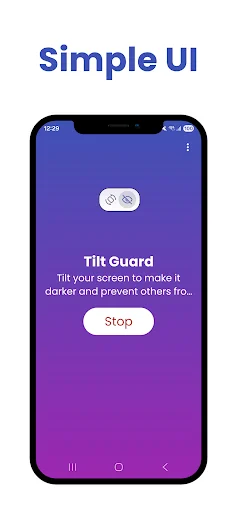
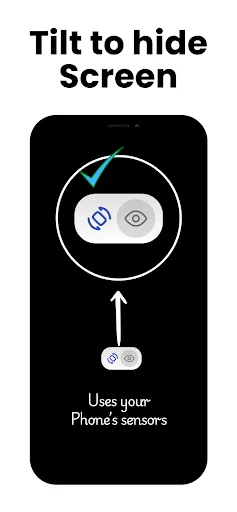
Simply tilt your phone away from your face and the screen instantly darkens to hide your content from onlookers. No buttons to press – your phone's sensors do the work automatically, giving you fast privacy when you need it most.
Easy Floating Controls
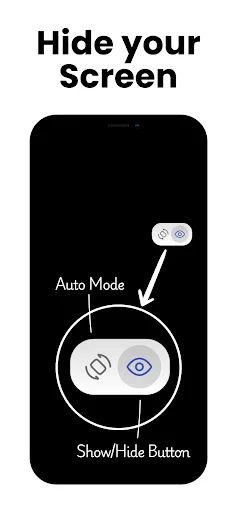
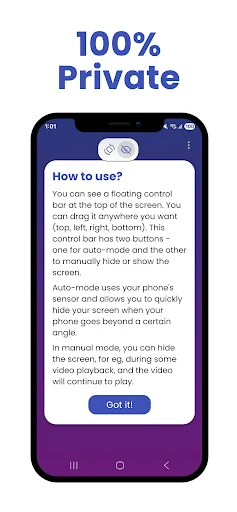
Access privacy controls without interrupting what you're doing. The floating control bar stays visible and can be moved anywhere on your screen, letting you activate privacy protection or adjust settings with a single tap.
Listen Without Screen Drain
Keep your audio, videos, or podcasts playing while the screen stays dark. Perfect for saving battery during long commutes or when you only need to listen – your media continues underneath the privacy overlay.
True Privacy Promise
Tilt Guard never records your screen, reads your messages, or tracks your activity. This privacy tool actually respects your privacy – it simply draws a dark overlay to keep your personal business private.
Tilt Guard: Hide Your Screen - Protect Your Display With A Quick Tilt!
Important: How This App Works
TiltGuard is an orientation-based privacy tool, NOT a polarizing screen filter! When you tilt your phone away from your face, it covers the screen with a black overlay to hide it from onlookers. It does not magically change your screen's hardware viewing angles.
Tilt Guard: Hide Your Screen gives you a fast way to cover what is visible on your phone when privacy matters. Whether you are commuting, working in public, or reading personal messages, a simple movement can help keep sensitive content away from prying eyes.
Tilt Phone: Privacy Screen For Android uses your device sensors to react when you move the phone away. Black Screen Tilt can instantly place a dark layer over the display, while your current activity can continue underneath.
Privacy And Display Features
- Hide Screen App - Cover visible content quickly when you need more privacy
- Tilt Phone: Privacy Screen For Android - Use motion-based controls for fast concealment
- Black Screen Tilt - Darken the display without fully stopping supported media
- Tilt Guard: Hide Your Screen - Add an extra layer of discretion in public places
- Floating Control Bar - Drag the compact controls anywhere on the display
- Background Media - Keep supported videos, lectures, or audio playing underneath
- Wake-Lock Mode - Prevent the device from sleeping while selected apps remain active
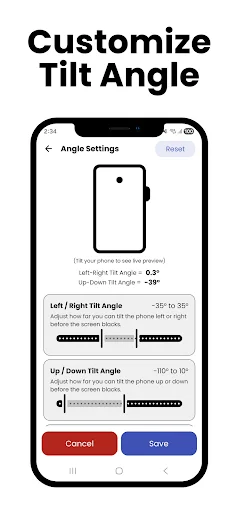
- Custom Controls - Adjust the experience to fit how you normally use your phone
Move your phone, darken the view, and reveal it again when you are ready!
Hide Screen App is useful on buses, trains, airplanes, offices, waiting rooms, or anywhere prying eyes might catch a glimpse of private information.
Black Screen Tilt also works well when you want to listen to a video, lecture, or playlist without leaving bright visuals visible.
How To Use
- Open Tilt Guard: Hide Your Screen and enable the required controls
- Choose tilt-based protection when you want automatic concealment
- Use Tilt Phone: Privacy Screen For Android and move the device to trigger the dark view
- Select Black Screen Tilt when you prefer a quick blackout
- Tap the manual eye control when you want instant privacy
- Move the floating bar to a comfortable position
- Reveal the display again when the private moment has passed
Privacy When You Are Around Other People
Hide Screen App can help when messages, documents, account details, or personal content are open in a crowded place.
Listen Without Keeping The Display Visible
Tilt Phone: Privacy Screen For Android can also be useful when the visual part of supported media is not needed. Cover the display while listening to music, podcasts, lectures, or other audio-focused content.
Keep Important Apps Awake
Wake-Lock Mode can help prevent the device from sleeping while you are monitoring navigation, information, timers, or other supported content. You stay in control of when the display is covered and when it becomes visible again.
Keep Your Display More Private In Everyday Situations!
Black Screen Tilt provides a quick way to cover what others can see, while Hide Screen App keeps the controls easy to access. With sensor-based activation, manual blackout, floating controls, and wake-lock support, you can manage visibility without interrupting your routine.
Privacy First
Your privacy is the entire point of this app. Tilt Guard does NOT record your screen, read your messages, or track your identity. It simply draws a black overlay to keep your business, your business.
See how Tilt Guard protects your screen
Trusted by users protecting their privacy daily
Perfect for crowded places. The screen protection activates reliably and turns off just as easily. It’s simple, effective, and runs quietly in the background.
This app saves us from hackers and crowds. I like this app.
it's a good app for security.
good I sponsor this app
wow really app working
Nice way to use 👍